CoderFunda
  • Home
  • About us
    • Contact Us
    • Disclaimer
    • Privacy Policy
    • About us
  • Home
  • Php
  • HTML
  • CSS
  • JavaScript
    • JavaScript
    • Jquery
    • JqueryUI
    • Stock
  • SQL
  • Vue.Js
  • Python
  • Wordpress
  • C++
    • C++
    • C
  • Laravel
    • Laravel
      • Overview
      • Namespaces
      • Middleware
      • Routing
      • Configuration
      • Application Structure
      • Installation
    • Overview
  • DBMS
    • DBMS
      • PL/SQL
      • SQLite
      • MongoDB
      • Cassandra
      • MySQL
      • Oracle
      • CouchDB
      • Neo4j
      • DB2
      • Quiz
    • Overview
  • Entertainment
    • TV Series Update
    • Movie Review
    • Movie Review
  • More
    • Vue. Js
    • Php Question
    • Php Interview Question
    • Laravel Interview Question
    • SQL Interview Question
    • IAS Interview Question
    • PCS Interview Question
    • Technology
    • Other

24 April, 2021

Laravel Blade SVG Directive

 Programing Coderfunda     April 24, 2021     Packages, php     No comments   


Laravel Blade SVG Directive

Using SVG’s in your design is all the rage and for good reason. They can be resized to any size without becoming pixelated, you can reference them by id, modify them through CSS or JavaScript.

One of the difficulties in using SVG files in your templates is referencing them. Currently, there are three ways this can be done. Either referencing an SVG file, embedding the whole thing, or use an SVG sprite.

Here is how the different styles look when written in HTML:

Image Src

<img src="icon.svg" alt="My SVG Icon">

Embedding an SVG

<svg class="icon icon-lg" viewBox="0 0 20 20" xmlns="http://www.w3.org/2000/svg">
<path d="M3.938 6.497a6.958 6.958 0 0 0-.702 1.694L0 9v2l3.236.809c.16.6.398 1.169.702 1.694l-1.716 2.861 1.414 1.414 2.86-1.716a6.958 6.958 0 0 0 1.695.702L9 20h2l.809-3.236a6.96 6.96 0 0 0 1.694-.702l2.861 1.716 1.414-1.414-1.716-2.86a6.958 6.958 0 0 0 .702-1.695L20 11V9l-3.236-.809a6.958 6.958 0 0 0-.702-1.694l1.716-2.861-1.414-1.414-2.86 1.716a6.958 6.958 0 0 0-1.695-.702L11 0H9l-.809 3.236a6.96 6.96 0 0 0-1.694.702L3.636 2.222 2.222 3.636l1.716 2.86zM10 13a3 3 0 1 0 0-6 3 3 0 0 0 0 6z" fill-rule="evenodd">
</path>
</svg>

SVG Sprite

<svg xmlns="http://www.w3.org/2000/svg" xmlns:xlink="http://www.w3.org/1999/xlink" width="0" height="0" style="position:absolute; display: none; visibility: hidden; width: 0; height: 0;">
<symbol id="icon-arrow-down" //..
<symbol id="icon-arrow-up" //..
// etc…
</svg>

<!— Then to referece it: —>
<svg><use xlink:href="#icon-arrow-down"></svg>

As you can hopefully see using the inline or sprite style is not that user friendly and it’s a lot of copy and pasting the icon text around.

Adam Wathan launched a new Laravel package to make all this much easier when you are using the Blade template engine.

Laravel Blade SVG Package

The Blade SVG package adds a new directive for either inline SVG or using SVG sprites.

Once installed this gives you the option to picking what choice best suits your project through a config item:

return [
'inline' => true,
// True renders the full icon SVG inline by default
// False references the sprite sheet and render the icon with a `use` tag
];

You also then have access to the following two directives:

@icon('icon-arrow-up')
{{ svg_icon('icon-arrow-up') }}

The difference is the svg_icon is a helper that allows a fluent chaining syntax for more advanced operations:

{{ svg_icon('icon-arrow-up')->alt('Arrow')->dataFoo('bar')->dataBaz() }}

Sample Blade SVG Usage

With the inline flag set to true you use it like this:

@icon('icon-arrow-up', ['class' => 'icon-lg'])

Which renders the following:

<svg class="icon icon-lg" viewBox="0 0 20 20" xmlns="http://www.w3.org/2000/svg">
<path d="M3.938 6.497a6.958 6.958 0 0 0-.702 1.694L0 9v2l3.236.809c.16.6.398 1.169.702 1.694l-1.716 2.861 1.414 1.414 2.86-1.716a6.958 6.958 0 0 0 1.695.702L9 20h2l.809-3.236a6.96 6.96 0 0 0 1.694-.702l2.861 1.716 1.414-1.414-1.716-2.86a6.958 6.958 0 0 0 .702-1.695L20 11V9l-3.236-.809a6.958 6.958 0 0 0-.702-1.694l1.716-2.861-1.414-1.414-2.86 1.716a6.958 6.958 0 0 0-1.695-.702L11 0H9l-.809 3.236a6.96 6.96 0 0 0-1.694.702L3.636 2.222 2.222 3.636l1.716 2.86zM10 13a3 3 0 1 0 0-6 3 3 0 0 0 0 6z" fill-rule="evenodd">
</path>
</svg>

Compared to if you have the inline set to false:

@icon('icon-arrow-up', ['class' => 'icon-lg'])

Would render:

<svg class="icon icon-lg">
<use xmlns:xlink="http://www.w3.org/1999/xlink" xlink:href="#icon-arrow-up"></use>
</svg>

No matter which style you have as the default you can switch between them with the svg_icon helper.

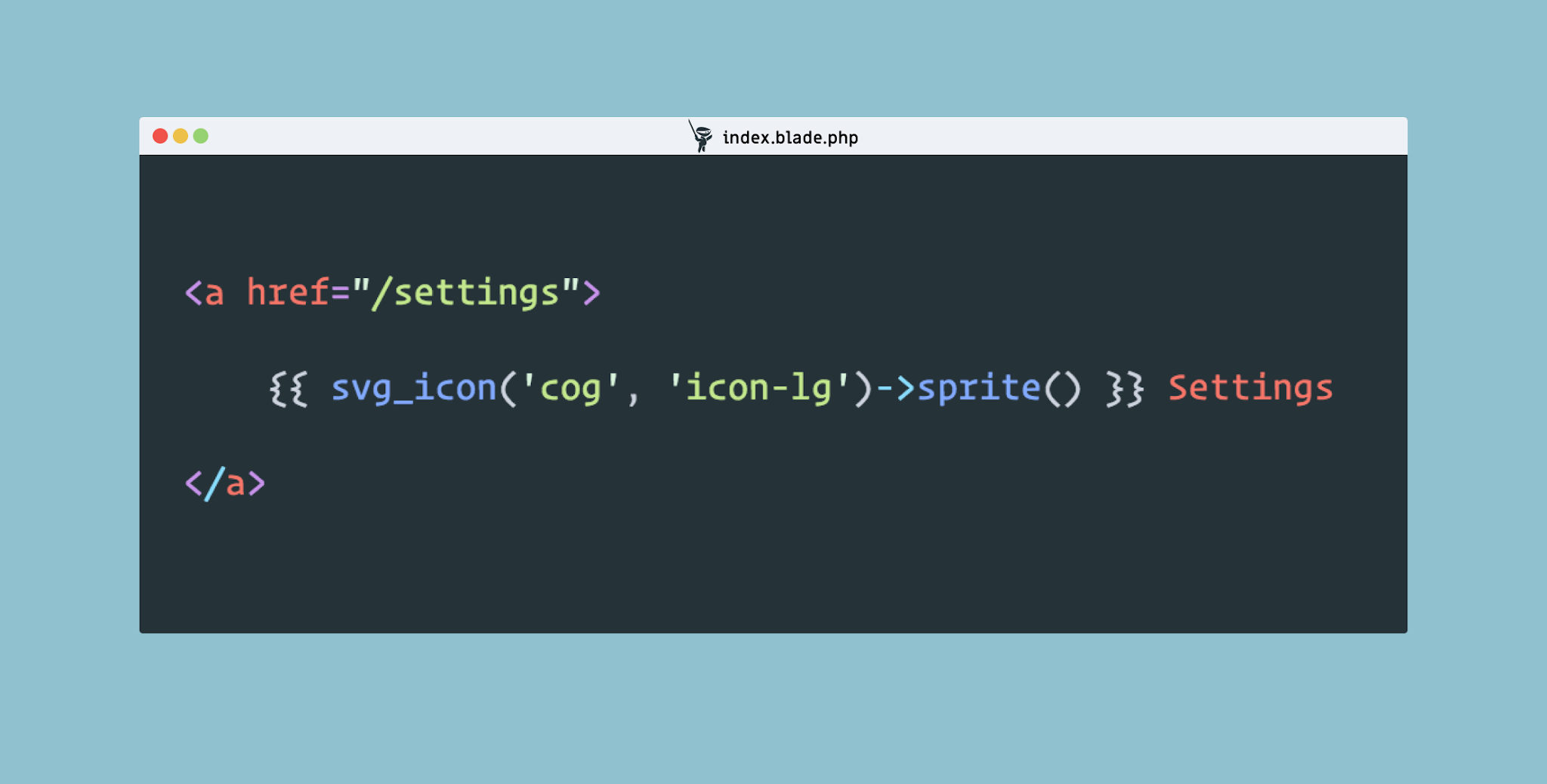
{{ svg_icon('icon-arrow-up', 'icon-lg')->sprite() }}
{{ svg_icon('icon-arrow-up', 'icon-lg')->inline() }}

As you can see, this package will be very useful for when you are working with SVG files and will keep your views clean and easier to manage.

If you’d like to learn more checkout the GitHub repo.

Read More
  • Share This:  
  •  Facebook
  •  Twitter
  •  Google+
  •  Stumble
  •  Digg

Laravel Missing Page Redirector Package

 Programing Coderfunda     April 24, 2021     Packages, php     No comments   

Laravel Missing Page Redirector Package


If you moved your site to a new domain, chances are you want the users and search engines to be directed to the correct pages on the new domain.

One way to do that is using 301 permanent redirects from old pages locations to the new pages locations. In Laravel you can define this in teh routes file like this:

Route::get('/old-page', function () {
return redirect('/new-page', 301);
});

If you have a lot of these they can quickly fill up your routes file and if you are using dynamic pages it could get unwieldy. Spatie’s new Laravel missing page redirector package aims to make this process easier by adding your redirects to the package config file or by implementing the included Redirector interface. Let’s take a look at how this package can be set up and used.

Installation

First, install Laravel missing page redirector through Composer:

composer require spatie/laravel-missing-page-redirector

Add its Service provider in config/app.php:

'providers' => [
...
Spatie\MissingPageRedirector\MissingPageRedirectorServiceProvider::class,
];

Then register the Spatie\MissingPageRedirector\RedirectsMissingPages middleware in app/Http/Kernel.php:

protected $middleware = [
...
\Spatie\MissingPageRedirector\RedirectsMissingPages::class,
],

Then, you have to publish the config file, run the following command in your terminal:

php artisan vendor:publish --provider="Spatie\MissingPageRedirector\MissingPageRedirectorServiceProvider"

Overview

If you opened config/laravel-missing-page-redirector.php configuration file, you will see the following:

return [

/**
* This is the class responsible for providing the URLs which must be redirected.
* The only requirement for the redirector is that it needs to implement the
* `Spatie\MissingPageRedirector\Redirector\Redirector`-interface
*/
'redirector' => \Spatie\MissingPageRedirector\Redirector\ConfigurationRedirector::class,

/**
* When using the `ConfigurationRedirector` you can specify the redirects in this array.
* You can use Laravel's route parameters here.
*/
'redirects' => [
// '/non-existing-page' => '/existing-page',
// '/old-blog/{url}' => '/new-blog/{url}',
],
];

  • First, you can change the source for your redirects to another source (for example a database) by creating your own redirector, the new redirector must implement Spatie\MissingPageRedirector\Redirector\Redirector interface and have getRedirectsFor method that returns an array maps the old URLs to the new URLs.
  • The second option is for specifying the redirects array for ConfigurationRedirector, just add an element for each redirect with the old URL as the key and the new URL as the value of the element.
  • You can use route parameters by wrapping them between curly braces like this '/old-blog/{url}' => '/new-blog/{url}' and you can make it optional using question mark like this: '/old-blog/{url?}' => '/new-blog/{url}',.
  • Be aware that if you want to redirect an old URL to a new URL a different domain you must add http:// or https:// before the new URL like this: '/old-page' => 'https://laravel-news.com.


Read More
  • Share This:  
  •  Facebook
  •  Twitter
  •  Google+
  •  Stumble
  •  Digg

Laravel Charting Package

 Programing Coderfunda     April 24, 2021     Packages, php     No comments   


Laravel Charting Package

Creating charts is often a pain because of how you have to convert your data into what the charting library supports and each library is different.

To help make this easier Erik Campobadal created a new Laravel chart package to create interactive charts. It supports a dozen of the most popular charting libraries from standard line and bar charts, to real time charting libraries.

To create your own chart it uses a familiar fluent syntax

Charts::multi('line', 'highcharts')
->setColors(['#ff0000', '#00ff00', '#0000ff'])
->setLabels(['One', 'Two', 'Three'])
->setDataset('Test 1', [1,2,3])
->setDataset('Test 2', [0,6,0])
->setDataset('Test 3', [3,4,1]);

Plus you can also create charts directly from your database:

$chart = Charts::database(User::all(), 'bar', 'highcharts')
->setElementLabel("Total")
->setDimensions(1000, 500)
->setResponsive(false)
->groupByDay();

Real time charts can be setup like this:

$chart = Charts::realtime(url('/path/to/json'), 1000, 'area', 'highcharts')
->setResponsive(false)
->setHeight(300)
->setWidth(0)
->setTitle("Permissions Chart")
->setMaxValues(10);

For more information check out the official GitHub repo or watch the tutorial video:

This charting library supports a ton of options and seems to be really powerful for all your charting needs.

Read More
  • Share This:  
  •  Facebook
  •  Twitter
  •  Google+
  •  Stumble
  •  Digg

Build your own Slack Bot with this PHP library

 Programing Coderfunda     April 24, 2021     Packages, php     No comments   

Build your own Slack Bot with this PHP library


It seems like everyone is using Slack, from company channels to community groups including one for Laravel.

Bots have been the new rage within the service and if you’d like to build your own Marcel Pociot created a framework agnostic PHP Slackbot library to make this easy.

Bots built with SlackBot can hear things, say things and reply to what they hear. This allows you to create conversational applications the way real human people talk to each other.

Receiving Messages with Slack Bot

Here is an example of listening for “Hello” and replying with “Hello Yourself”. This example can be used either in a direct message (a private message inside Slack between the user and the bot) or in a message the bot user is invited to.

$slackbot = new SlackBot();
$slackbot->initialize(<my_slack_bot_token>);

// give the bot something to listen for.
$slackbot->hears('hello', function (SlackBot $bot, $message) {
$bot->reply('Hello yourself.');
});

The hears method takes a regular expression string to match and a callback with the response.

$slackbot->hears('open the {doorType} doors', function(SlackBot $bot, $doorType) {
//..
});

Sending Messages with Slack Bot

After the bot “hears” an incoming message you can send a reply through the reply method.

$slackbot->hears('keyword', function (SlackBot $bot, $message) {

// do something to respond to message
// ...

$bot->reply("Tell me more!");

});

You can also send an optional array with fields and attachments:

$slackbot->hears('keyword', function (SlackBot $bot, $message) {

// do something...

// then respond with a message object
//
$bot->reply("A more complex response",[
'username' => "ReplyBot",
'icon_emoji' => ":dash:",
]);

})

Slack Bot Conversations

Conversations allow you to string together several messages, including questions.

$slackbot->hears('free shirt', function (SlackBot $bot, $message) {

$bot->startConversation(new ShirtConversation);

});

Inside the ShirtConversation a run method will be called so you can control the flow:

class ShirtConversation extends Conversation
{
protected $size;

public function askSize()
{
$this->ask('What size do you wear?', function(Answer $answer) {

// Save size for next question
$this->size = $answer->getText();

$this->say('Thanks! A '.$answer->getText().' shirt will be sent to you');

});
}

public function run()
{
// This will be called immediately
$this->askSize();
}

}

This outlines some of the basics of this package and it provides even more options and configuration. You can get the code from GitHub.


Read More
  • Share This:  
  •  Facebook
  •  Twitter
  •  Google+
  •  Stumble
  •  Digg

Store your translations in the database with Laravel translation loader package

 Programing Coderfunda     April 24, 2021     Packages, php     No comments   


Store your translations in the database with Laravel translation loader package

Laravel has built-in support for localization using arrays stored in language files and in 5.4 they are adding the ability for JSON based language files.

Some applications are better suited to have the language strings stored in the database so that end users can change them through a custom user interface, and that’s where the Laravel translation loader package can be helpful.

Let’s take a look at how this package can be set up and used.

Installation

First, install Laravel translation loader through Composer:

composer require spatie/spatie/laravel-translation-loader

Next, open your config/app.php and replace Laravel’s translation service provider:

Illuminate\Translation\TranslationServiceProvider::class,

with Laravel translation loader service provider:

Spatie\TranslationLoader\TranslationServiceProvider::class,


Then publish Laravel translation loader migration file:

php artisan vendor:publish --provider="Spatie\TranslationLoader\TranslationServiceProvider" --tag="migrations"

Finally, run the migrations, it will create a new table called language_lines in the database which will hold your application translations:

php artisan migrate

Overview

After you complete the installations, adding a new language line to the database will be easy as this:

use Spatie\TranslationLoader\LanguageLine;

LanguageLine::create([
'group' => '<span id="result_box" class="short_text" lang="en"><span class="">greetings</span></span>',
'key' => 'hello',
'text' => ['en' => 'Hello', 'ar' => 'السلام عليكم ورحمة الله وبركاته', 'es' => 'Hola'],
]);

And to fetch the translation from the database, use the default Laravel trans function like this:

echo trans('<span id="result_box" class="short_text" lang="en"><span class="">greetings</span></span>.hello');
// Will return 'Hello' if the locale is English and Will return 'السلام عليكم ورحمة الله وبركاته' if the locale is Arabic

Or you can use blade syntax and @lang directive like this:

{{ trans('<span id="result_box" class="short_text" lang="en"><span class="">greetings</span></span>.hello') }}
// Or
@lang('<span id="result_box" class="short_text" lang="en"><span class="">greetings</span></span>.hello')

You can also use the parameter feature of laravel trans function which will allow you to use placeholders in the translations and replace it later by passing an array of replacements as the second argument to the trans function like this:

trans('<span id="result_box" class="short_text" lang="en"><span class="">greetings</span></span>.welcome', ['name' => 'Diaa'])

One nice feature of Laravel translation loader is allowing you to save your translations in both language files and the database at the same time. By default, it will look for the database version then fall back to the file. Another feature is that you can extend the package to support other translation providers like YAML, CSV, etc.

That’s it, if you want a very useful package that provides a clean and easy way to save your translations in the database, check out Laravel translation loader.

Read More
  • Share This:  
  •  Facebook
  •  Twitter
  •  Google+
  •  Stumble
  •  Digg
Newer Posts Older Posts Home

Meta

Popular Posts

  • Sitaare Zameen Par Full Movie Review
     Here’s a  complete Vue.js tutorial for beginners to master level , structured in a progressive and simple way. It covers all essential topi...
  • Tailwindcss best practices for responsive design
    Tailwind CSS provides powerful utilities for responsive design out of the box. To use it effectively and maintain clean, scalable code, here...
  • Crawl and Index Your Website with Laravel Site Search
      Laravel Site Search   is a package by Spatie to create a full-text search index by crawling your site. You can think of it as a private Go...
  • Tailwind CSS Tutorial (Beginner to Master)
    Here's a simple and complete Tailwind CSS tutorial designed for students and beginners , progressing step-by-step from beginner to mast...
  • Is there a way to write a JavaScript program that enables you to Search Words in Multiple PDF Files?
    I need to create a simple program/system/application using JavaScript that enables a user to search a certain word in multiple scanned PDF f...

Categories

  • Ajax (26)
  • Bootstrap (30)
  • DBMS (42)
  • HTML (12)
  • HTML5 (45)
  • JavaScript (10)
  • Jquery (34)
  • Jquery UI (2)
  • JqueryUI (32)
  • Laravel (1017)
  • Laravel Tutorials (23)
  • Laravel-Question (6)
  • Magento (9)
  • Magento 2 (95)
  • MariaDB (1)
  • MySql Tutorial (2)
  • PHP-Interview-Questions (3)
  • Php Question (13)
  • Python (36)
  • RDBMS (13)
  • SQL Tutorial (79)
  • Vue.js Tutorial (69)
  • Wordpress (150)
  • Wordpress Theme (3)
  • codeigniter (108)
  • oops (4)
  • php (853)

Social Media Links

  • Follow on Twitter
  • Like on Facebook
  • Subscribe on Youtube
  • Follow on Instagram

Pages

  • Home
  • Contact Us
  • Privacy Policy
  • About us

Blog Archive

  • July (4)
  • September (100)
  • August (50)
  • July (56)
  • June (46)
  • May (59)
  • April (50)
  • March (60)
  • February (42)
  • January (53)
  • December (58)
  • November (61)
  • October (39)
  • September (36)
  • August (36)
  • July (34)
  • June (34)
  • May (36)
  • April (29)
  • March (82)
  • February (1)
  • January (8)
  • December (14)
  • November (41)
  • October (13)
  • September (5)
  • August (48)
  • July (9)
  • June (6)
  • May (119)
  • April (259)
  • March (122)
  • February (368)
  • January (33)
  • October (2)
  • July (11)
  • June (29)
  • May (25)
  • April (168)
  • March (93)
  • February (60)
  • January (28)
  • December (195)
  • November (24)
  • October (40)
  • September (55)
  • August (6)
  • July (48)
  • May (2)
  • January (2)
  • July (6)
  • June (6)
  • February (17)
  • January (69)
  • December (122)
  • November (56)
  • October (92)
  • September (76)
  • August (6)

Loading...

Laravel News

Loading...

Copyright © CoderFunda | Powered by Blogger
Design by Coderfunda | Blogger Theme by Coderfunda | Distributed By Coderfunda