CoderFunda
  • Home
  • About us
    • Contact Us
    • Disclaimer
    • Privacy Policy
    • About us
  • Home
  • Php
  • HTML
  • CSS
  • JavaScript
    • JavaScript
    • Jquery
    • JqueryUI
    • Stock
  • SQL
  • Vue.Js
  • Python
  • Wordpress
  • C++
    • C++
    • C
  • Laravel
    • Laravel
      • Overview
      • Namespaces
      • Middleware
      • Routing
      • Configuration
      • Application Structure
      • Installation
    • Overview
  • DBMS
    • DBMS
      • PL/SQL
      • SQLite
      • MongoDB
      • Cassandra
      • MySQL
      • Oracle
      • CouchDB
      • Neo4j
      • DB2
      • Quiz
    • Overview
  • Entertainment
    • TV Series Update
    • Movie Review
    • Movie Review
  • More
    • Vue. Js
    • Php Question
    • Php Interview Question
    • Laravel Interview Question
    • SQL Interview Question
    • IAS Interview Question
    • PCS Interview Question
    • Technology
    • Other

23 April, 2021

Plug and Play Avatars in Laravel with Laravolt

 Programing Coderfunda     April 23, 2021     No comments   

Plug and Play Avatars in Laravel with Laravolt


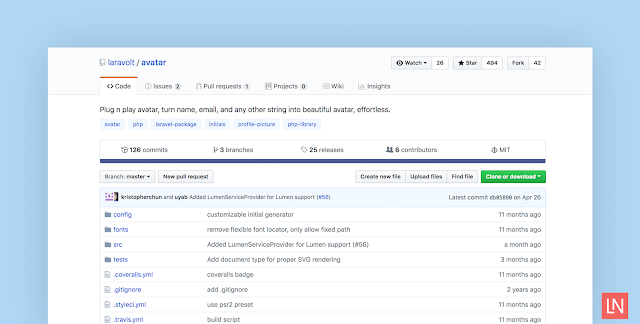
The Laravolt Avatar by Bayu Hendra Winata is a package that turns strings like names into avatars effortlessly. This package uses the Intervention Image package under the hood to generate base64 images on-the-fly, saving as an image, and SVG.

Plug and Play Avatars in Laravel with Laravolt

The basic usage looks like this in your Blade templates:

<img src="{{ Avatar::create('Joko Widodo')->toBase64() }}" />

<!-- SVG markup -->
{!! Avatar::create('Susilo Bambang Yudhoyono')->toSvg(); !!}

This package is highly configurable—you can even configure an individual image on-the-fly while rendering it:

// width = 100, height = 200
Avatar::create('Soekarno')->setDimension(100, 200);
Avatar::create('Soekarno')->setBackground('#001122');
Avatar::create('Soekarno')->setShape('square');

Here’s the full configuration at the time of writing so you can get a feel for all the ways you can customize avatar generation:

<?php

return [

// Supported: "gd", "imagick"
'driver' => 'gd',

// Initial generator class
'generator' => \Laravolt\Avatar\Generator\DefaultGenerator::class,

// Whether all characters supplied must be replaced with their closest ASCII counterparts
'ascii' => false,

// Image shape: circle or square
'shape' => 'circle',

// Image width, in pixel
'width' => 100,

// Image height, in pixel
'height' => 100,

// Number of characters used as initials.
'chars' => 2,

// font size
'fontSize' => 48,

// convert initial letter to uppercase
'uppercase' => false,

// Fonts used to render text.
// If contains more than one fonts, randomly selected based on name supplied
'fonts' => ['path/to/OpenSans-Bold.ttf', 'path/to/rockwell.ttf'],

// List of foreground colors to be used, randomly selected based on name supplied
'foregrounds' => [
'#FFFFFF'
],

// List of background colors to be used, randomly selected based on name supplied
'backgrounds' => [
'#f44336',
'#E91E63',
'#9C27B0',
'#673AB7',
'#3F51B5',
'#2196F3',
'#03A9F4',
'#00BCD4',
'#009688',
'#4CAF50',
'#8BC34A',
'#CDDC39',
'#FFC107',
'#FF9800',
'#FF5722',
],

'border' => [
'size' => 1,

// border color, available value are:
// 'foreground' (same as foreground color)
// 'background' (same as background color)
// or any valid hex ('#aabbcc')
'color' => 'foreground'
]
];

I would like to point out that at the time of writing I tried this package out with the GD extension and a base64 data URI and the image quality resulted in jagged edges. I would recommend experimenting with different configurations. I also tried the SVG output, and it worked well, with perhaps a little bit of font alignment in different browsers.

  • Share This:  
  •  Facebook
  •  Twitter
  •  Google+
  •  Stumble
  •  Digg
Email ThisBlogThis!Share to XShare to Facebook
Newer Post Older Post Home

0 comments:

Post a Comment

Thanks

Meta

Popular Posts

  • CSS Box Model
    All HTML elements can be considered as boxes. In CSS, the term "box model" is used when talking about design and layout. The CSS b...
  • CSS Borders
    CSS Border Properties The CSS  border  properties allow you to specify the style, width, and color of an element's border. I have...
  • SQL UPDATE Statement
      The SQL UPDATE Statement The UPDATE statement is used to modify the existing records in a table. UPDATE Syntax UPDATE   table_name SET   c...
  • Python Tutorial
      Python Tutorial Python tutorial provides basic and advanced concepts of Python. Our Python tutorial is designed for beginners and professi...
  • Get absolute x,y of a child from the relative x,y of the parent
    Note the following structure: HTML: CSS: body { padding: 100px; background: aqua; } .container { position: rela...

Categories

  • Ajax (26)
  • Bootstrap (30)
  • DBMS (42)
  • HTML (12)
  • HTML5 (45)
  • JavaScript (10)
  • Jquery (34)
  • Jquery UI (2)
  • JqueryUI (32)
  • Laravel (1017)
  • Laravel Tutorials (23)
  • Laravel-Question (6)
  • Magento (9)
  • Magento 2 (95)
  • MariaDB (1)
  • MySql Tutorial (2)
  • PHP-Interview-Questions (3)
  • Php Question (13)
  • Python (36)
  • RDBMS (13)
  • SQL Tutorial (79)
  • Vue.js Tutorial (69)
  • Wordpress (150)
  • Wordpress Theme (3)
  • codeigniter (108)
  • oops (4)
  • php (853)

Social Media Links

  • Follow on Twitter
  • Like on Facebook
  • Subscribe on Youtube
  • Follow on Instagram

Pages

  • Home
  • Contact Us
  • Privacy Policy
  • About us

Blog Archive

  • July (4)
  • September (100)
  • August (50)
  • July (56)
  • June (46)
  • May (59)
  • April (50)
  • March (60)
  • February (42)
  • January (53)
  • December (58)
  • November (61)
  • October (39)
  • September (36)
  • August (36)
  • July (34)
  • June (34)
  • May (36)
  • April (29)
  • March (82)
  • February (1)
  • January (8)
  • December (14)
  • November (41)
  • October (13)
  • September (5)
  • August (48)
  • July (9)
  • June (6)
  • May (119)
  • April (259)
  • March (122)
  • February (368)
  • January (33)
  • October (2)
  • July (11)
  • June (29)
  • May (25)
  • April (168)
  • March (93)
  • February (60)
  • January (28)
  • December (195)
  • November (24)
  • October (40)
  • September (55)
  • August (6)
  • July (48)
  • May (2)
  • January (2)
  • July (6)
  • June (6)
  • February (17)
  • January (69)
  • December (122)
  • November (56)
  • October (92)
  • September (76)
  • August (6)

Loading...

Laravel News

Loading...

Copyright © CoderFunda | Powered by Blogger
Design by Coderfunda | Blogger Theme by Coderfunda | Distributed By Coderfunda