CoderFunda
  • Home
  • About us
    • Contact Us
    • Disclaimer
    • Privacy Policy
    • About us
  • Home
  • Php
  • HTML
  • CSS
  • JavaScript
    • JavaScript
    • Jquery
    • JqueryUI
    • Stock
  • SQL
  • Vue.Js
  • Python
  • Wordpress
  • C++
    • C++
    • C
  • Laravel
    • Laravel
      • Overview
      • Namespaces
      • Middleware
      • Routing
      • Configuration
      • Application Structure
      • Installation
    • Overview
  • DBMS
    • DBMS
      • PL/SQL
      • SQLite
      • MongoDB
      • Cassandra
      • MySQL
      • Oracle
      • CouchDB
      • Neo4j
      • DB2
      • Quiz
    • Overview
  • Entertainment
    • TV Series Update
    • Movie Review
    • Movie Review
  • More
    • Vue. Js
    • Php Question
    • Php Interview Question
    • Laravel Interview Question
    • SQL Interview Question
    • IAS Interview Question
    • PCS Interview Question
    • Technology
    • Other

28 December, 2020

Vue.js Conditions & Loops

 Programing Coderfunda     December 28, 2020     Vue.js Tutorial     No comments   

Vue.js Conditions & Loops

Conditions and Loops are used in all programming languages to provide repetitive control structures. They can repeat one or more various steps depending on the conditions. Same we can use in the case of Vue.js.

v-if Directive Example

Index.html file:

  1. <html>  
  2.     <head>  
  3.         <link rel="stylesheet" href="index.css">  
  4.         <script src="https://cdn.jsdelivr.net/npm/vue/dist/vue.js"></script>  
  5.     </head>  
  6.     <body>         
  7.         <div id="app">  
  8. <span v-if="seen">This is visible to you</span>  
  9.         </div>             
  10.         <script src="index.js"></script>  
  11.     </body>  
  12. </html>  

Index.js file:

  1. var app = new Vue({  
  2.   el: '#app',  
  3.   data: {  
  4.     seen: true  
  5.   }  
  6. })  

Note: Here, we have used a simple CSS file to make the output more attractive. This CSS file will be the same for all the following examples.

Index.css file:

  1. html, body {  
  2.     margin: 5px;  
  3.     padding: 0;  
  4. }  

Output:

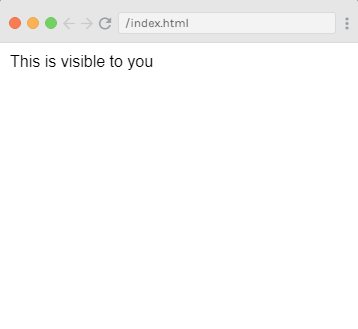
This is visible to you
Vue.js Conditions & Loops

In the above example, if you enter app3.seen = false, you will see that the message disappears.

Example2:

Index.html file:

  1. <html>  
  2.     <head>  
  3.         <link rel="stylesheet" href="index.css">  
  4.         <script src="https://cdn.jsdelivr.net/npm/vue/dist/vue.js"></script>  
  5.     </head>  
  6.     <body>         
  7.         <div id="app">  
  8. <span v-if="seen">This is visible to you</span>  
  9.         </div>             
  10.         <script src="index.js"></script>  
  11.     </body>  
  12. </html>  

Index.js file:

  1. var app = new Vue({  
  2.   el: '#app',  
  3.   data: {  
  4.     seen: false  
  5.   }  
  6. })  

Output:

Vue.js Conditions & Loops

In the above example, you can see that you can bind data to not only text and attributes, but also the structure of the DOM. Vue also provides a powerful transition effect system that can automatically apply transition effects when the elements are inserted, updated, or removed by Vue.

v- else-if Directive Example

We can use the v- else-if directive to provide an else functionality in the above example. By using this directive, if the condition is not satisfied or not true then it will return the else statement that you set for the program. Let's see an example.

Index.html file:

  1. <html>  
  2.     <head>  
  3.         <link rel="stylesheet" href="index.css">  
  4.         <script src="https://cdn.jsdelivr.net/npm/vue/dist/vue.js"></script>  
  5.     </head>  
  6.     <body>         
  7.         <div id="app">  
  8.             <span v-if="seen">Now you see me</span>  
  9.             <span v-else-if=>You can't see me </span>  
  10.         </div>             
  11.         <script src="index.js"></script>  
  12.     </body>  
  13. </html>  

Index.js file:

  1. var app = new Vue({  
  2.   el: '#app',  
  3.   data: {  
  4.     seen: false   
  5.   }  
  6. })  

Output:

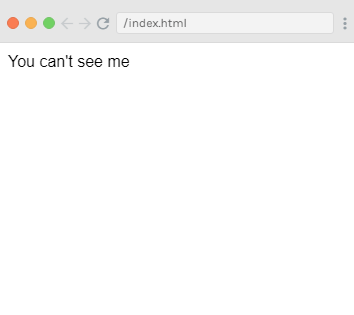
You can't see me
Vue.js Conditions & Loops

In the above example, you can see that the output is shown as "You can't see me" which is set as v-else-if statement. There are also some other directives in Vue.js that can be used for their own special functionalities.

v- for Directive Example

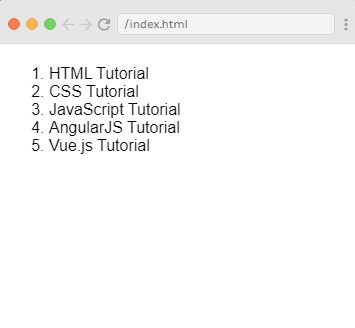
The v-for directive is used to display a list of items using the data from an Array. See the following example.

Index.html file:

  1. <html>  
  2.     <head>  
  3.         <link rel="stylesheet" href="index.css">  
  4.         <script src="https://cdn.jsdelivr.net/npm/vue/dist/vue.js"></script>  
  5.     </head>  
  6.     <body>         
  7. <div id="app-4">  
  8.   <ol>  
  9.     <li v-for="todo in todos">  
  10.       {{ todo.text }}  
  11.     </li>  
  12.   </ol>  
  13. </div>  
  14.         <script src="index.js"></script>  
  15.     </body>  
  16. </html>  

Index.js file:

  1. var app4 = new Vue({  
  2.   el: '#app-4',  
  3.   data: {  
  4.     todos: [  
  5.       { text: 'HTML Tutorial' },  
  6.       { text: 'CSS Tutorial' },  
  7.       { text: 'JavaScript Tutorial' },  
  8.       { text: 'AngularJS Tutorial' },  
  9.       { text: 'Vue.js Tutorial' }  
  10.     ]  
  11.   }  
  12. })  

Output:

  1. HTML Tutorial
  2. CSS Tutorial
  3. JavaScript Tutorial
  4. AngularJS Tutorial
  5. js Tutorial

Output:

Vue.js Conditions & Loops

Handling User Input

The v-on directive facilitates users to interact with your Vue.js app. It is used to attach event listeners that invoke methods on Vue instances. Let's see an example of v-on directive.

v-on Directive Example

Index.html file:

  1. <html>  
  2.     <head>  
  3.         <link rel="stylesheet" href="index.css">  
  4.         <script src="https://cdn.jsdelivr.net/npm/vue/dist/vue.js"></script>  
  5.     </head>  
  6.     <body>        
  7.         <div id="app">  
  8.             <p>{{ message }}</p>  
  9.             <button v-on:click="reverseMessage">Click Here to Reverse Message</button>  
  10.         </div>         
  11.         <script src="index.js"></script>  
  12.     </body>  
  13. </html>  

Index.js file:

  1. var app = new Vue({  
  2.   el: '#app',  
  3.   data: {  
  4.     message: 'This is  Vue.js Example!'  
  5.   },  
  6.   methods: {  
  7.     reverseMessage: function () {  
  8.       thisthis.message = this.message.split('').reverse().join('')  
  9.     }  
  10.   }  
  11. })  

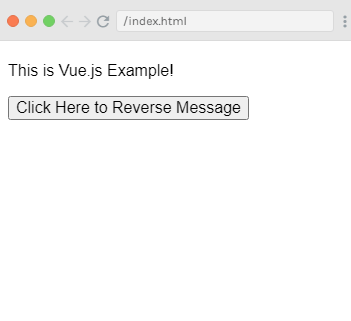
Output:

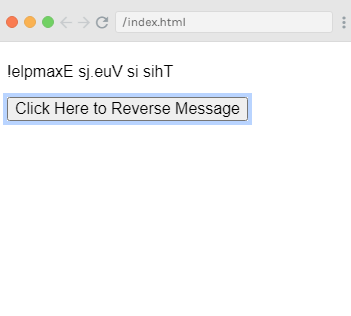
Vue.js Conditions & Loops

After clicking on the "Click Here to Reverse Message" button, the above string will be reversed.
Vue.js Conditions & Loops

In the above example, the state of app is updated without touching the DOM. All DOM manipulations are handled by Vue itself.

v-model Directive Example

The v-model directive is used to make two-way data binding between form input and app state. See the following example:

Index.html file:

  1. <html>  
  2.     <head>  
  3.         <link rel="stylesheet" href="index.css">  
  4.         <script src="https://cdn.jsdelivr.net/npm/vue/dist/vue.js"></script>  
  5.     </head>  
  6.     <body>         
  7.         <div id="app">  
  8.   <p>{{ message }}</p>  
  9.   <input v-model="message">  
  10. </div>          
  11.         <script src="index.js"></script>  
  12.     </body>  
  13. </html>  

Index.js file:

  1. var app6 = new Vue({  
  2.   el: '#app',  
  3.   data: {  
  4.     message: 'Two way data binding!'  
  5.   }  
  6. })  

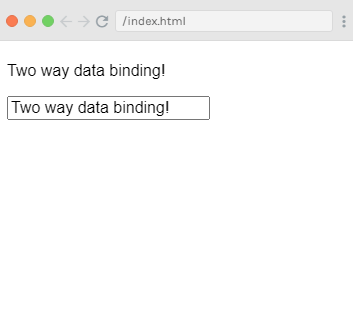
Output:

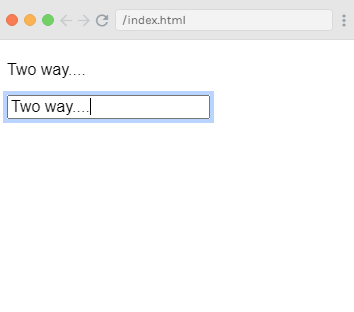
Vue.js Conditions & Loops

You will see the automatic synchronization of data in the above example. When you change the data in one component, the change will be reflected in both components. See the below example:
Vue.js Conditions & Loops

Composing with Components

The component system is used when we want to build large-scale applications composed of small, self-contained, and often reusable components. A large application interface can be abstracted into a tree of components:
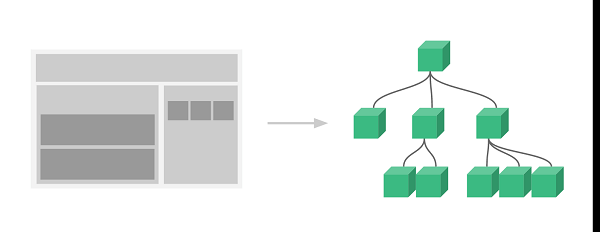
Vue.js Conditions & Loops

Here, we use the v-bind directive to pass values in repeated component. See the following example:

Index.html file:

  1. <html>  
  2.     <head>  
  3.         <link rel="stylesheet" href="index.css">  
  4.         <script src="https://cdn.jsdelivr.net/npm/vue/dist/vue.js"></script>  
  5.     </head>  
  6.     <body>        
  7.         <div id="app">  
  8.   <ol>  
  9.     <todo-course  
  10.       v-for="course in courseList"  
  11.       v-bind:todo="course"  
  12.       v-bind:key="course.id"  
  13.     ></todo-course>  
  14.   </ol>  
  15. </div>          
  16.         <script src="index.js"></script>  
  17.     </body>  
  18. </html>  

Index.js file:

  1. Vue.component('todo-course', {  
  2.   props: ['todo'],  
  3.   template: '<li>{{ todo.text }}</li>'  
  4. })  
  5. var app = new Vue({  
  6.   el: '#app',  
  7.   data: {  
  8.     courseList: [  
  9.       { id: 0, text: 'Java' },  
  10.       { id: 1, text: 'PHP' },  
  11.       { id: 2, text: 'Angular' },  
  12.       { id: 3, text: 'Vue.js' }  
  13.     ]  
  14.   }  
  15. })  

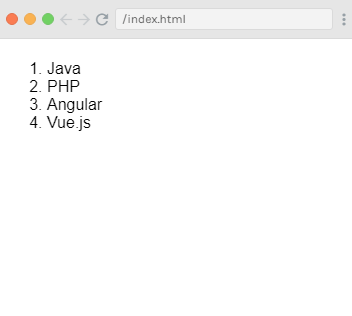
Output:

Vue.js Conditions & Loops

by : javatpoint.com
Read More
  • Share This:  
  •  Facebook
  •  Twitter
  •  Google+
  •  Stumble
  •  Digg

Vue.js Declarative Rendering

 Programing Coderfunda     December 28, 2020     Vue.js Tutorial     No comments   

Vue.js Declarative Rendering

In Vue.js, there is a system in the core that enables us to declaratively render data to the DOM using simple, straightforward template syntax.

Syntax:

HTML:

  1. <div id="app">  
  2.   {{ message }}  
  3. </div>  

JS:

  1. var app = new Vue({  
  2.   el: '#app',  
  3.   data: {  
  4.     message: 'This is a simple Vue.js Declarative Rendering example!'  
  5.   }  
  6. })  

As we know that Vue.js facilitates us to extend HTML with HTML attributes called directives that are used to offer functionality to HTML applications.

There are two types of directives in Vue.js: built-in directives and user-defined directives. Vue.js uses double braces {{ }} as place-holders for data, and the Vue.js directives are HTML attributes that use a v- prefix.

Let's see a simple Declarative Rendering example that uses text interpolation.

Example 1:

Index.html file:

  1. <html>  
  2.     <head>  
  3.         <link rel="stylesheet" href="index.css">  
  4.         <script src="https://cdn.jsdelivr.net/npm/vue/dist/vue.js"></script>  
  5.     </head>  
  6.     <body>          
  7.         <div id="app">  
  8.             {{ message }}  
  9.         </div>          
  10.         <script src="index.js"></script>  
  11.     </body>  
  12. </html>  

Index.js file:

  1. var app = new Vue({   
  2.     el: '#app',  
  3.     data: {  
  4.           message: 'This is a simple Vue.js Declarative Rendering example!'  
  5.     }  
  6. });  

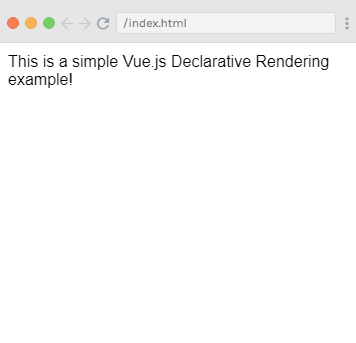
Output:

This is a simple Vue.js Declarative Rendering example!

Vue.js Declarative Rendering

The above example is similar to rendering a string template, as we have already done in the very first Vue.js example. Now, the data and the DOM are linked, and everything is now reactive. You can check it on your browser's JavaScript console. Set app.message to a different value, and you will see the rendered example above update accordingly.

Now, we no longer have to interact with the HTML directly. A Vue app attaches itself to a single DOM element and fully controls it. In the above example case, it is #app. Now, HTML is only the entry point, and everything else happens within the newly created Vue instance.

Let's see an example where we deploy the binding of element attributes.

Example 2:

Index.html file:

  1. <html>  
  2.     <head>  
  3.         <link rel="stylesheet" href="index.css">  
  4.         <script src="https://cdn.jsdelivr.net/npm/vue/dist/vue.js"></script>  
  5.     </head>  
  6.     <body>         
  7.         <div id="app-2">  
  8.   <span v-bind:title="message">  
  9.     Hover mouse over me for a few seconds  
  10.     and see a dynamically bound title which I have set!  
  11.   </span>  
  12. </div>          
  13. <script src="index.js"></script>  
  14.     </body>  
  15. </html>  

Index.js file:

  1. var app2 = new Vue({  
  2.   el: '#app-2',  
  3.   data: {  
  4.     message: 'You loaded this page on ' + new Date().toLocaleString()  
  5.   }  
  6. })  

Output:

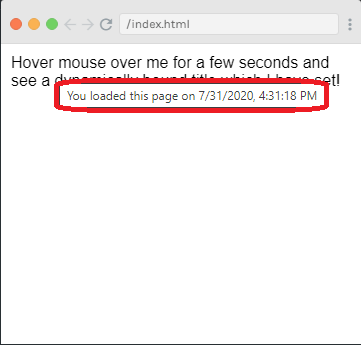
Hover mouse over me for a few seconds and see a dynamically bound title which I have set!

Vue.js Declarative Rendering

In the above example, a new v-bind attribute you are seeing is called a directive. Directives are used with a prefix v- to indicate that they are unique attributes provided by Vue, and they are used to apply a special reactive behavior to the rendered DOM.


Read More
  • Share This:  
  •  Facebook
  •  Twitter
  •  Google+
  •  Stumble
  •  Digg
Newer Posts Older Posts Home

Meta

Popular Posts

  • Generate Migrations from an Existing Database With the Migration Generator Package
    Laravel Migration Generator Migration Generator for Laravel is a package by Bennett Treptow to generate migrations from existing database ...
  • Search Through Models with Laravel Searchable
      Laravel Searchable   is a package by   Spatie   to search through models and other sources pragmatically. Using this package, you can get ...
  • Laravel Razorpay Integration | Payment gateway integration Laravel in 30 mins | Laravel Razorpay
    1 Integration of Razorpay with Laravel. In this tutorial, I have taught how to integrate payment gateway with laravel with mini-project. If...
  • Vue.js Render functions
        Vue.js Render functions Vue.js recommends us to use templates to build HTML. Here, we can use the render function as a closer-to-the-co...
  • Tailwindcss best practices for responsive design
    Tailwind CSS provides powerful utilities for responsive design out of the box. To use it effectively and maintain clean, scalable code, here...

Categories

  • Ajax (26)
  • Bootstrap (30)
  • DBMS (42)
  • HTML (12)
  • HTML5 (45)
  • JavaScript (10)
  • Jquery (34)
  • Jquery UI (2)
  • JqueryUI (32)
  • Laravel (1017)
  • Laravel Tutorials (23)
  • Laravel-Question (6)
  • Magento (9)
  • Magento 2 (95)
  • MariaDB (1)
  • MySql Tutorial (2)
  • PHP-Interview-Questions (3)
  • Php Question (13)
  • Python (36)
  • RDBMS (13)
  • SQL Tutorial (79)
  • Vue.js Tutorial (69)
  • Wordpress (150)
  • Wordpress Theme (3)
  • codeigniter (108)
  • oops (4)
  • php (853)

Social Media Links

  • Follow on Twitter
  • Like on Facebook
  • Subscribe on Youtube
  • Follow on Instagram

Pages

  • Home
  • Contact Us
  • Privacy Policy
  • About us

Blog Archive

  • ▼  2026 (6)
    • ▼  07/26 - 08/02 (5)
      • China’s new hybrid rice can preserve its high-yiel...
      • Quote of the day by Thucydides: 'Self-control is t...
      • Quote of the day by Slavoj Žižek: 'The problem for...
      • A stormwater pond in Calgary appears filled with P...
      • Inside Kriti Sanon's duplex sea-facing penthouse w...
    • ►  06/28 - 07/05 (1)
  • ►  2025 (4)
    • ►  07/06 - 07/13 (2)
    • ►  06/29 - 07/06 (2)
  • ►  2024 (486)
    • ►  09/15 - 09/22 (30)
    • ►  09/08 - 09/15 (35)
    • ►  09/01 - 09/08 (35)
    • ►  08/11 - 08/18 (2)
    • ►  08/04 - 08/11 (33)
    • ►  07/28 - 08/04 (30)
    • ►  07/07 - 07/14 (11)
    • ►  06/30 - 07/07 (35)
    • ►  06/23 - 06/30 (5)
    • ►  06/02 - 06/09 (31)
    • ►  05/26 - 06/02 (20)
    • ►  05/05 - 05/12 (29)
    • ►  04/28 - 05/05 (26)
    • ►  04/07 - 04/14 (10)
    • ►  03/31 - 04/07 (34)
    • ►  03/24 - 03/31 (10)
    • ►  03/03 - 03/10 (35)
    • ►  02/25 - 03/03 (15)
    • ►  02/04 - 02/11 (22)
    • ►  01/28 - 02/04 (30)
    • ►  01/07 - 01/14 (8)
  • ►  2023 (484)
    • ►  12/31 - 01/07 (35)
    • ►  12/24 - 12/31 (10)
    • ►  12/03 - 12/10 (33)
    • ►  11/26 - 12/03 (20)
    • ►  11/05 - 11/12 (35)
    • ►  10/29 - 11/05 (20)
    • ►  10/22 - 10/29 (9)
    • ►  10/15 - 10/22 (7)
    • ►  10/08 - 10/15 (9)
    • ►  10/01 - 10/08 (10)
    • ►  09/24 - 10/01 (9)
    • ►  09/17 - 09/24 (9)
    • ►  09/10 - 09/17 (7)
    • ►  09/03 - 09/10 (9)
    • ►  08/27 - 09/03 (9)
    • ►  08/20 - 08/27 (8)
    • ►  08/13 - 08/20 (8)
    • ►  08/06 - 08/13 (8)
    • ►  07/30 - 08/06 (8)
    • ►  07/23 - 07/30 (7)
    • ►  07/16 - 07/23 (8)
    • ►  07/09 - 07/16 (7)
    • ►  07/02 - 07/09 (8)
    • ►  06/25 - 07/02 (7)
    • ►  06/18 - 06/25 (7)
    • ►  06/11 - 06/18 (7)
    • ►  06/04 - 06/11 (11)
    • ►  05/28 - 06/04 (7)
    • ►  05/21 - 05/28 (8)
    • ►  05/14 - 05/21 (11)
    • ►  05/07 - 05/14 (7)
    • ►  04/30 - 05/07 (7)
    • ►  04/23 - 04/30 (8)
    • ►  04/16 - 04/23 (9)
    • ►  04/09 - 04/16 (7)
    • ►  04/02 - 04/09 (4)
    • ►  03/26 - 04/02 (21)
    • ►  03/19 - 03/26 (2)
    • ►  03/12 - 03/19 (9)
    • ►  03/05 - 03/12 (26)
    • ►  02/26 - 03/05 (25)
    • ►  01/15 - 01/22 (7)
    • ►  01/08 - 01/15 (1)
  • ►  2022 (1037)
    • ►  12/11 - 12/18 (13)
    • ►  12/04 - 12/11 (1)
    • ►  11/27 - 12/04 (40)
    • ►  11/06 - 11/13 (1)
    • ►  10/16 - 10/23 (13)
    • ►  09/04 - 09/11 (5)
    • ►  08/21 - 08/28 (24)
    • ►  08/14 - 08/21 (24)
    • ►  07/03 - 07/10 (9)
    • ►  06/19 - 06/26 (3)
    • ►  05/29 - 06/05 (3)
    • ►  05/22 - 05/29 (3)
    • ►  05/15 - 05/22 (109)
    • ►  05/01 - 05/08 (7)
    • ►  04/24 - 05/01 (7)
    • ►  04/17 - 04/24 (64)
    • ►  04/10 - 04/17 (115)
    • ►  04/03 - 04/10 (73)
    • ►  03/27 - 04/03 (77)
    • ►  03/13 - 03/20 (2)
    • ►  03/06 - 03/13 (25)
    • ►  02/27 - 03/06 (18)
    • ►  02/20 - 02/27 (153)
    • ►  02/13 - 02/20 (187)
    • ►  01/30 - 02/06 (45)
    • ►  01/23 - 01/30 (15)
    • ►  01/16 - 01/23 (1)
  • ►  2021 (412)
    • ►  10/24 - 10/31 (2)
    • ►  07/25 - 08/01 (1)
    • ►  07/11 - 07/18 (10)
    • ►  06/13 - 06/20 (29)
    • ►  05/23 - 05/30 (1)
    • ►  05/02 - 05/09 (24)
    • ►  04/25 - 05/02 (24)
    • ►  04/18 - 04/25 (112)
    • ►  04/11 - 04/18 (1)
    • ►  04/04 - 04/11 (6)
    • ►  03/28 - 04/04 (86)
    • ►  03/21 - 03/28 (19)
    • ►  03/14 - 03/21 (2)
    • ►  03/07 - 03/14 (10)
    • ►  02/28 - 03/07 (1)
    • ►  02/21 - 02/28 (29)
    • ►  02/14 - 02/21 (13)
    • ►  02/07 - 02/14 (12)
    • ►  01/31 - 02/07 (6)
    • ►  01/17 - 01/24 (2)
    • ►  01/10 - 01/17 (8)
    • ►  01/03 - 01/10 (14)
  • ►  2020 (376)
    • ►  12/27 - 01/03 (37)
    • ►  12/20 - 12/27 (92)
    • ►  12/13 - 12/20 (29)
    • ►  12/06 - 12/13 (37)
    • ►  11/29 - 12/06 (4)
    • ►  11/15 - 11/22 (14)
    • ►  11/08 - 11/15 (8)
    • ►  11/01 - 11/08 (2)
    • ►  10/18 - 10/25 (14)
    • ►  10/11 - 10/18 (16)
    • ►  10/04 - 10/11 (10)
    • ►  09/20 - 09/27 (10)
    • ►  09/06 - 09/13 (19)
    • ►  08/30 - 09/06 (26)
    • ►  08/23 - 08/30 (4)
    • ►  08/16 - 08/23 (2)
    • ►  07/12 - 07/19 (48)
    • ►  05/17 - 05/24 (2)
    • ►  01/05 - 01/12 (2)
  • ►  2019 (74)
    • ►  07/07 - 07/14 (6)
    • ►  06/16 - 06/23 (6)
    • ►  02/10 - 02/17 (17)
    • ►  01/13 - 01/20 (37)
    • ►  01/06 - 01/13 (8)
  • ►  2018 (376)
    • ►  12/30 - 01/06 (24)
    • ►  12/16 - 12/23 (8)
    • ►  12/09 - 12/16 (98)
    • ►  12/02 - 12/09 (16)
    • ►  11/18 - 11/25 (36)
    • ►  11/04 - 11/11 (18)
    • ►  10/28 - 11/04 (10)
    • ►  10/21 - 10/28 (26)
    • ►  10/14 - 10/21 (52)
    • ►  10/07 - 10/14 (4)
    • ►  09/30 - 10/07 (2)
    • ►  09/23 - 09/30 (68)
    • ►  09/16 - 09/23 (4)
    • ►  09/09 - 09/16 (4)
    • ►  08/26 - 09/02 (6)

Data Publish News

Loading...

Al Jazeera – Breaking News, World News and Video from Al Jazeera

Loading...

Laravel News

Loading...

Copyright © CoderFunda | Powered by Blogger
Design by Coderfunda | Blogger Theme by Coderfunda | Distributed By Coderfunda