WordPress Alternatives
WordPress is a simple, easy to manage, easy to learn, free, open-source, user-friendly, modern, versatile, powerful CMS (Content Management System) platform used to create beautiful responsive websites or blogs. It was introduced by Matt Mullenweg and Mike Little in 2003 and has now become one of the most popular web content publishing platforms. It allows website editors, owners, and authors to publish their content on the web without any programming knowledge.
WordPress is used to build Businesses (both small and large), eCommerce, Blogs, Social networks, Forum, Events, and E-learning websites.
To know more about WordPress, click on the given link: https://www.javatpoint.com/wordpress-tutorial
Although WordPress is one of the best platforms to create websites, there are also some best WordPress alternatives available on the market that are used to build attractive, beautiful, responsive, and good looking websites -
A list of most commonly used WordPress alternatives are given below -
1. Shopify
Shopify is one of the best WordPress alternatives that is used to build online business websites and eCommerce stores. It allows us to add payment options on the website to send and accept payments. It includes various ready-made templates, apps, paid extensions, and integration options to create online websites quickly and easily with very less effort. It is more suitable for creating eCommerce websites.
Pros of Shopify
- Shopify provides easier and excellent payment gateway options and easily integrate with PayPal.
- It has unlimited disk space, so it allows us to add unlimited number of items to the website.
- It provides 24/7 customer support.
- It provides a complete suite of business tools, including email, landing pages, blogs, and many more.
- Shopify is very easy to set up and learn.
- It is SEO (Search Engine Optimization) friendly.
Cons of Shopify
- Shopify is not flexible as compared to WordPress.
- It does not provide efficient Blogging functionality as compared to WordPress.
- It is quite expensive.
Price
Shopify is available on the following plans -
Basic Shopify - Shopify basic plan available at $29 per month and $313.20 per year.
Shopify - Shopify available at $79 per month and $853.20 per year.
Advanced Shopify - Its advanced Shopify plan available at $299 per month and $3,229.20 per year.
Shopify Plus - Its Shopify Plus plan available at $2,000 per month and $24,000 per year.
Website:
Click on the given link to visit Shopify official website to create an eCommerce store to sell products: https://www.shopify.in/
2. Wix
Wix is one of the best user-friendly cloud-based CMS platforms. It is an easy-to-learn platform that allows us to create flexible design websites for small businesses. It was released in 2006. It allows us to use a simple drag and drop menus to quickly add templates, images, content, links, and more to the website.
Pros of Wix
- Wix allows us to add free animations to our website.
- It is very easy to learn for beginners.
- It provides a simple drag and drop functionality to create websites.
- Programming knowledge or coding skill is not required to create websites.
- It easily integrates with online payment solutions like PayPal and more.
Cons of Wix
- Wix SEO performance is not as good as compared to WordPress.
- It is not suitable for mobile devices because it provides poor loading speed.
- It includes ads with a free plan.
- Sometimes users can not modify the available templates.
- Limited designs are available for the mobile site.
Wix Pricing
Wix is available for both versions free as well as paid.
Free - Wix free plan is available for users, but its free plan does not include online payment options and Google Analytics
Standard Combo plan - Its standard Combo plan available at $16 per month-$26 per month.
Website
Click on the given link to visit Wix official site - https://www.wix.com/
3. Blogger
Blogger is one of the most popular blogging platforms in the World. It is a free, open-source, easy to use, lightweight WordPress alternatives developed by Pyra Labs in 1993 and owned by Google in 2003. It is one of the best WordPress competitors that provides a simple platform for content creation. It is used to create, organize, and publish content in a blog. Since Google owns blogger, so users can link it to various other Google products.

Pros of Blogger
A list of Pros of Blogger is given below -
- It is very easy to use.
- It has excellent monetization options i.e., Google Adsense. It helps us to earn more money from blogs.
- It is a free to use platform.
- It is easy for beginners to learn.
- It easily integrates with Google+.
- It is an extremely reliable, lightweight, easy to use platform.
Cons of Blogger
- Blogger has limited templates and design options.
- It has no external plugins.
Pricing
Free - Blogger is available free to use.
Website
Click on the given link to create blogs using blogger: https://www.blogger.com/
4. Drupal
Drupal is the best Content Management System (CMS) platform that is used to create powerful responsive dynamic websites. It is mainly used by government and private companies to create beautiful responsive websites, portfolio sites, business websites, NGO sites, and many more.
The main feature of Drupal is that it provides an advanced administration panel with five sections: Content, People, Structure, Appearance, and Configuration.
Pros of Drupal
There are the following pros of Drupal -
- Drupal is used to create dynamic designs.
- It is used by a large community (thousands of users and developers).
- It is the best platform in terms of security.
- It uses Drupal Big Pipe technology that helps us to load websites faster.
- Drupal helps us to easily manage SEO setting and management.
Cons of Drupal
- As compared to WordPress, Drupal requires more technical knowledge.
- It is quite difficult to install and use.
- It is difficult to manage the admin panel of Drupal.
- It is a less beginner-friendly platform.
- Its blogging modules are not as good as compared to other platforms.
Drupal Pricing
Drupal is a free, open-source CMS platform.
Website
Click on the given link to create highly secure and responsive websites - https://www.drupal.org/
5. Joomla
Joomla is a powerful, free, multi-purpose, popular, open-source, strong, flexible CMS platform build on model view controller web application framework. It allows us to create complex websites, custom posts, manage multiple users, and post our content in multiple languages. Some core Joomla features are: It includes a powerful PHP application building framework. It has in-built cache management and contains 15 custom field types.
Pros of Joomla
There are the following Pros of Joomla -
- Joomla contains thousands of free plugins to the homepage.
- It is very easy to learn and understand Joomla.
- It helps us to improve SEO (Search Engine Optimization) ranking using powerful tools.
- It is a highly secured platform as compared to WordPress.
- It is used by a large community of users and developers.
- It helps us to create websites rapidly.
Cons of Joomla
- In Joomla, it is very difficult to run plugins.
- Sometimes it is difficult to understand.
Joomla Pricing
Joomla is available for both free as well as a paid version. Its paid version starts at $199.00 per year.
Joomla Website
Click on the below link to create flexible, secure, and responsive websites using Joomla - https://www.joomla.org/
6. Weebly
Weebly is one of the awesome WordPress alternative that allows users to create straight forward websites easily using pre-designed templates, plugins, widgets, themes, and more. It is an excellent platform for publishing content like text, images, links, and more. It does not require advanced functionality to create sites. Its design is more flexible than Squarespace. It is more suitable for small businesses to create single-purpose sites.

Pros of Weebly
There are the following Pros of Weebly -
- Weebly provides a beginner-friendly platform.
- It requires very less time to create websites.
- The sites based on Weebly provides fast loading speed.
- It is extremely easy-to-learn.
- It uses drop and down editor to create websites in very less time.
Cons of Weebly
- In Weebly, there is no option available to add custom content.
- It is very difficult for us to add advanced marketing tools to our Weebly website.
- Weebly has limited eCommerce support.
- Its pricing and SEO (Search Engine Optimization) customizations can be confusing for beginners.
- Its price is high.
Weebly Pricing
- Weebly premium plan is available from $8 per month to $38 per month.
- Weebly price for websites starts from $0 to $360 per year.
- Weebly price for online stores starts from $120 per year to $552 per year.
Weebly Website
Click on the given link to create websites quickly and easily using Weebly - https://www.weebly.com/
7. Ghost
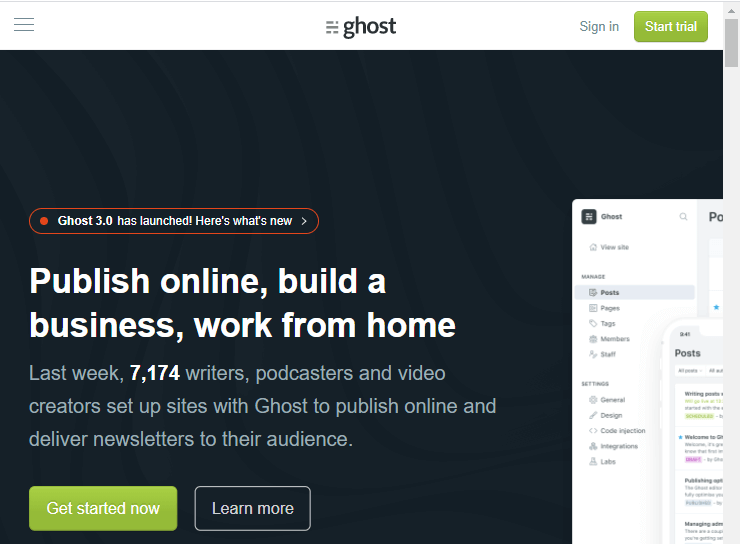
Ghost is an open-source, fast, secure, simple, responsive, and powerful CMS platform used to publish simple content on the web. It is one of the popular WordPress alternatives for creating CMS websites. It is very simple to use, set up, and manage. It is a NodeJS based blogging software that is mostly used to create blogs, flexible, and simple, lightweight CMS.
Pros of Ghost
A list of advantages of the Ghost platform is given below -
- Ghost platform helps us to easily add images, Markdown, and well-structured HTML (Hypertext Markup Language) to the website.
- It provides a user-friendly dashboard. All necessary is information available on the right side.
- It is very simple and easy for beginners to create websites using Ghost.
- It is a developer-friendly platform.
Cons of Ghost
There are the following cons of Ghost -
- Ghost hosted plans are extremely costly.
- It is still in the testing phase.
- It is only suitable for blogs and publishing sites.
Ghost Pricing
Ghost server hosted plans start at $19 per month.
Ghost Website
To create fast, powerful, and responsive websites using Ghost, click on the given link - https://ghost.org/
8. Medium
Medium is an online, popular, easy-to-set-up, and excellent publishing platform. It is the simplest WordPress alternative. It provides an excellent editing environment that's why small as well as large organizations use it. It provides a clutter-free environment for publishers. It is used by more than 100 million users per month.

Pros of Medium
There are the following pros of the Medium platform -
- Medium is a completely hosted platform, so we do not need to worry about the software.
- It helps us to easily share content, images, GIFs, headings, videos, and more to engage the target audience.
- It helps us to rank content easily on Search Engine Optimization.
Cons of Medium
- It is not a fully Content Management system.
- It is not possible to add a custom domain on the Medium platform.
- Design is limited.
Medium Pricing
Medium premium plans start at $5 per month and $50 per year.
Medium Website
Click on the below link to create a simple blog using Medium - https://medium.com/
9. Squarespace
Squarespace is the popular paid website builder platform that is used to create beautiful, stylish, and responsive websites. It provides various pre-built templates for creating websites. It is the most flexible and versatile builder platform for blogs, online stores, and portfolio sites.

Pros of Squarespace
- Squarespace automatically adjusts the screen size for visitors.
- It uses drag and drop builder to create websites
- It is very easy for beginners to create a site using Squarespace.
- It includes everything such as themes, plugins, drag and drop menus, and more that we need to create a website.
- It provides 24×7 support.
- It easily integrates with Google Drive, Adobe Creative Suite, etc.
Cons of Squarespace
- Less number of designs is available as compared to Wix.
- It is not a suitable platform for blogging.
- As compared to Weebly or Wix, it is difficult to understand and use.
- It is costly as compared to other website builders.
- Its free plan is not available.
Squarespace Pricing
Its plans start from $12 per month.
Squarespace Website
Click on the given link to visit Squarespace official website - https://www.squarespace.com/
10. Tumblr
Tumblr is the best platform for creating professional websites. It allows us to combine our blogging platform with social media platforms. It is a unique website builder platform because it is a combination of social media platforms and blogging. More than 427 million blogs worldwide use Tumblr as their blogging platform.

Pros of Tumblr
A list of Pros of the Tumblr platform is given below -
- Tumblr provides more than hundreds of free as well as premium themes for creating the website.
- Tumblr is available for free to use.
- It allows us to share photos, stories, songs, images, and many more.
- It easily integrates with social media platforms like Facebook, Pinterest, Instagram, and Twitter.
Cons of Tumblr
- Tumblr is easy to use, but very hard to explain.
- Less number of themes available.
Tumblr Pricing
Tumblr is a free to use website builder platform for users.
Tumblr Website
Click on the given link to crate professional websites using Tumblr - https://www.tumblr.com/
To know more about Tumblr, click on the given link - https://www.javatpoint.com/tumblr
11. BigCommerce
BigCommerce is used to build e-commerce projects. It is the best platform to sell products on the web. It allows us to use various payment gateway options such as PayPal, Stripe, Appley Pay, and Pay with Amazon. It also allows us to use third-party apps to grow our business rapidly.

Pros of BigCommerce
There are the following Pros of BigCommerce -
- BigCommerce does not charge a transaction fee.
- It easily integrates with email marketing services.
- It offers various SEO capabilities.
Cons of BigCommerce
- Themes are not good as compared to other website builder platforms.
- No Lite version
- Not suitable for beginners.
BigCommerce Pricing
Free Trial - BigCommerce free trial is available for 15 days.
Standard Plan - BigCommerce Standard Plan available at the cost of $29.95 per month.
Plus plan - BigCommerce Plus plan available at the cost of $79.95 per month.
Pro plan - BigCommerce Pro plan available at the cost of $299.95 per month.
Enterprise plan - Its Enterprise plan depends on the business requirement.
BigCommerce Website
Click on the given link to create e-commerce websites using BigCommerce - https://www.bigcommerce.com/
12. CMS Hub
As the name suggests, CMS Hub is a completely Content Management System (CMS) Website builder platform. It includes various tools such as a domain manager, file manager, staging environment, drag and drop editor, blogging tools, and more. It allows us to create flexible and well-structured CMS websites that can be easily edited by marketers.
Pros of CMS Hub
There are the following pros of CMS Hub -
- CMS Hub provides more security to our website.
- It is suitable for both small as well as large organizations.
- It allows us to create flexible and well-structured CMS websites.
- It is very easy to edit the content present on the CMS Hub.
- It allows us to use drag and drop editors for creating websites.
Cons of CMS Hub
- Its plans are extremely costly.
- We can't install CMS Hub on Windows.
CMS Hub Pricing
CMS Hub is available for both versions free as well as paid -
Free - CMS Hub free trial is available for 14 days.
Paid - CMS Hub paid version starts at $300 per month.
CMS Hub website
Click on the given link to create secure websites using CMS Hub - https://www.hubspot.com/products/cms